
Use These Codes to Access Vans with a Lockbox
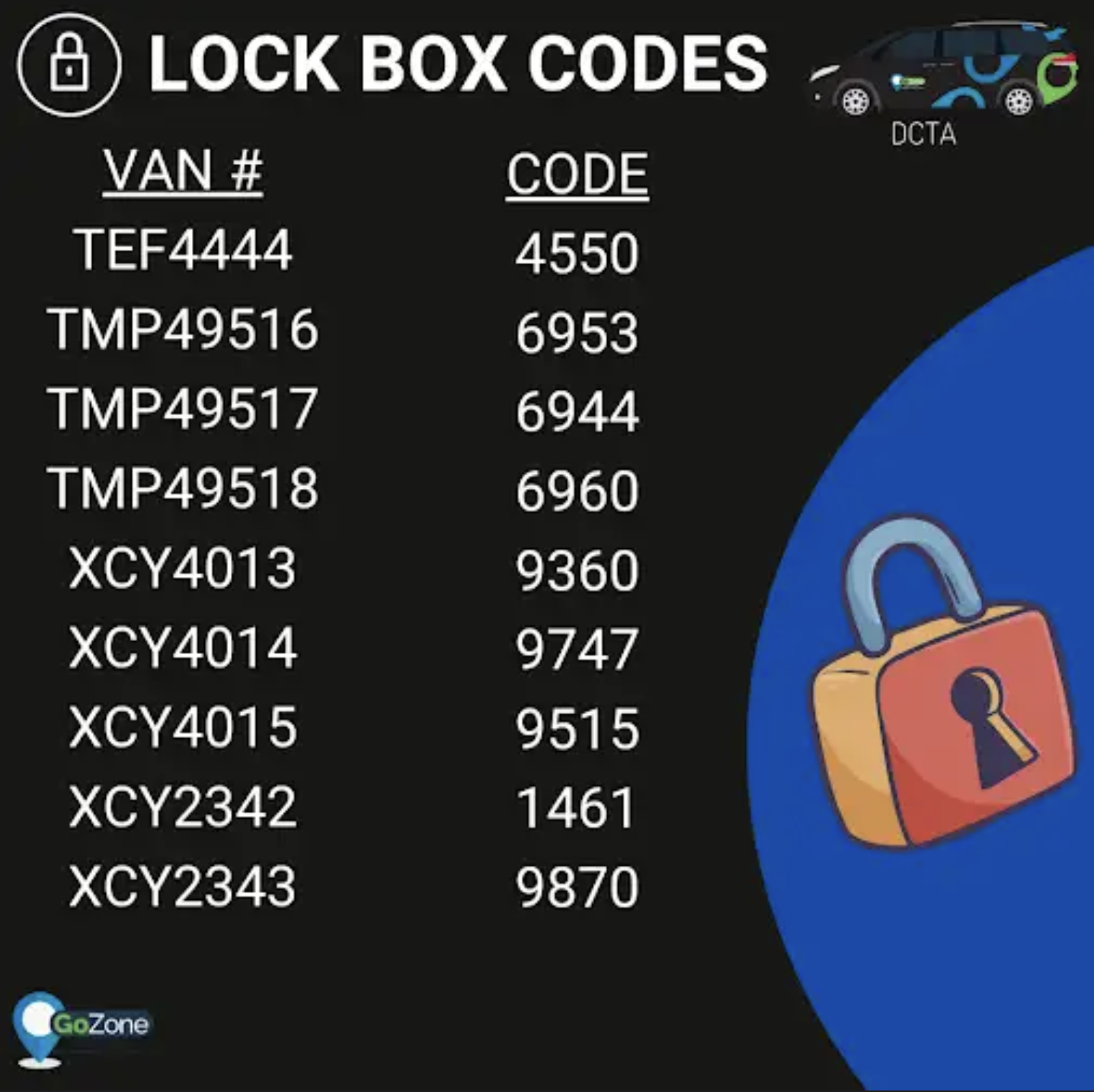
The lockbox codes below allow authorized drivers to unlock any VAN that uses a lockbox. Only use these codes for assigned shifts and authorized vehicles.
Before you approach the vehicle
-
Confirm the van license/ID and your assignment in the app so you’re accessing the correct vehicle.
-
If you feel unsafe at the location, do not approach — call support immediately.
How to use the lockbox
-
Verify you are at the correct van (license plate and vehicle ID).
-
Enter the appropriate code from the list below on the lockbox keypad.
-
Open the lockbox and remove the van key.
-
Close and scramble the lockbox immediately after removing the key.
-
Unlock and inspect the van for any hazards before starting your shift.
Required follow-up
-
Log the time, vehicle ID, and your name in the shift log (or report system) after you retrieve the key.
-
If the lockbox does not open, a code doesn’t work, or the lockbox/key is damaged or missing, report it to support immediately and do not attempt to force it.
-
If you find anything unsafe inside the vehicle, report it via the incident form and do not start the shift.
Security & policy
-
Do not share these codes with anyone else. Codes are for authorized drivers only.
-
Use codes only for vehicles you are assigned to and during your scheduled shift. Unauthorized use will result in disciplinary action.
-
Treat lockbox codes as sensitive information — keep them secure.